
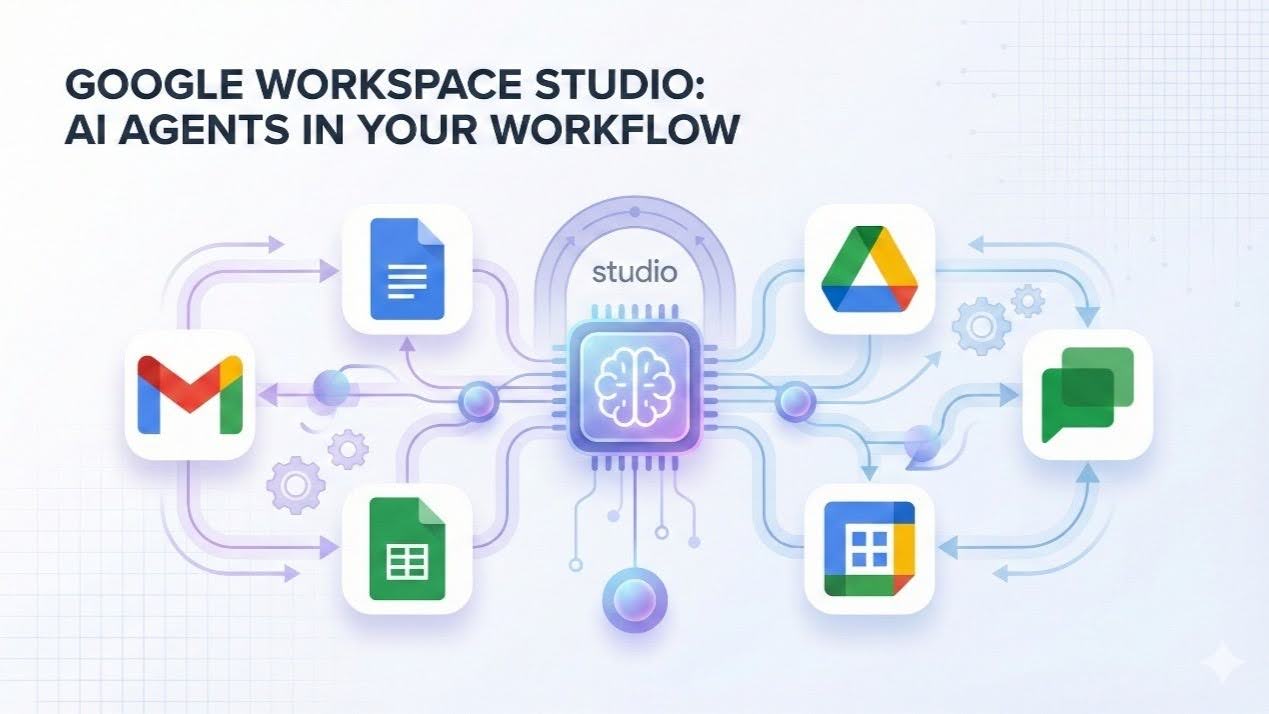

Formerly known as Google Workspace Flows, here’s everything you need to know about building no-code AI agents that save your team hours every single week.
If you’ve been working in the Google ecosystem for years, you know the “tab-switching tax.” You copy a lead from Gmail, paste it into Sheets, draft a summary for Chat, and manually move a file into Drive. These micro-tasks don’t just take time; they drain the creative energy your team needs for high-level strategy.
Enter Google Workspace Studio.
Formerly known as Google Workspace Flows (rebranded in December 2025), Studio is a native, no-code AI automation platform. It allows anyone, regardless of technical skill, to build intelligent “agents” that don’t just move data, but actually reason with it.
What is Google Workspace Studio?
Powered by Gemini AI, Studio is built directly into your Workspace environment. Unlike traditional automation tools that require complex logic or coding (Apps Script), Studio uses natural language. If you can describe a process in English, you can build an agent to handle it.
- Access it: Visit studio.workspace.google.com or click the double-arrow icon in the sidebar of any Workspace app.
- Availability: Rolling out to all Business and Enterprise plans as of March 2026.
The Anatomy of an Agent: Starters, Steps, and Variables
Every “Flow” in Studio is built using three intuitive building blocks:
- STARTER (The Trigger): The event that wakes up your agent (e.g., an incoming email, a new row in Sheets, or a scheduled Monday morning time).
- STEPS (The Actions): What the agent actually does. This includes “Ask Gemini to summarize,” “Create a Doc,” “Post to Slack/Chat,” or “Update Salesforce.”
- VARIABLES (The Context): The “memory” of the flow. It carries data from the trigger (like the sender’s name) through to the final action.
How to Get Started (3-Step Plan)
- Identify your “Busywork”: What task do you do 10+ times a week that requires zero “human” creativity?
- Talk to Studio: Open Studio and describe the workflow in plain language. Let Gemini build the first draft.
Collaborate: Just like a Google Doc, you can share your Agents with your team. Build it once, and let everyone save time.
High-Impact Use Cases for Modern Teams
We are seeing teams save 5–10 hours per week by automating these specific workflows:
- Smart Support Triage: Gemini reads incoming support emails, categorizes them by sentiment and urgency, and drafts a suggested reply in Gmail while alerting the team in Chat.
- The follow-up Prep after meetings: 15 minutes after a client meeting ends, Studio pulls the meeting notes from Drive, extracts action items, and drafts a follow-up email to all attendees.
- Intelligent Document Intake: When a contract or invoice is dropped into Drive, Gemini extracts the key terms and logs them into a master Sheet automatically.
- Automated Onboarding: A “New Hire” form trigger kicks off a sequence: creates their Drive folder, drafts their welcome Doc, and sends an intro message to their team.
- Brand Compliance Review: When a Doc is marked “Ready,” Gemini checks it against your brand guidelines and leaves comments for necessary edits.
- Executive Summaries: Every Friday, Studio pulls data from multiple Sheets, synthesizes the “wins” and “risks,” and posts a digest to the leadership Chat space.
{{For steps to activate these immpact cases, please view here https://docs.google.com/document/d/e/2PACX-1vTUPlQ0EhKHuD46g98XYglJuTGIFSOGd_whfviAaeb_L0Ojus6e6UMownluSyEycprf_iCP7tp96q73/pub}}
Key advantages of Google Workspace Studio:
- Natively built into Workspace: It lives inside Gmail, Drive, Chat, and every other Workspace app. No third-party accounts, no data leaving your environment, no extra setup.
- No code required: Anyone can build automations by describing what they want in plain English no Apps Script, no IT tickets, no technical background needed.
- Powered by Gemini AI: Unlike simple “if this, then that” tools, Studio can reason, analyse sentiment, draft content, and make intelligent decisions within your flows not just trigger rigid rules.
- Included in your plan: Available on all Business and Enterprise Workspace plans at no additional cost, unlike Zapier or Make.com, which add to your monthly bill.
- Secure and compliant: All automation runs within your Workspace domain, respecting your existing DLP controls, admin settings, and data protection commitments.
- Connects beyond Google: Despite being Google-native, it also integrates with Salesforce, Asana, Jira, Mailchimp, and supports webhooks for virtually any other service.
Google Workspace Studio is already available on your Business or Enterprise plan. Your first agent could be live in under 30 minutes.
https://www.youtube.com/watch?v=Xy0r5fKwlVo More Resources